
Speed Stars
Speed Stars: Race Strategy, Pacing and Head-to-Head Tactics
Martin Fighters is a home for games about reading an opponent and winning the exchange, and Speed Stars fits in better than its running theme suggests. You are never alone on the track. Every dash is a head-to-head against three computer athletes, and the difference between first and fourth is decided by the same ingredients as a good fight: tempo, positioning in the pace order, and spending your energy at the right moment. If you enjoy the competitive side of our [Arcade Games](/arcade-games) collection, this is a sports duel that rewards tactics as much as reflexes.
The game is a 3D browser build with a bright stadium, a red track and a roster of events from 60 metres to 800. It starts in seconds, and each race takes only about a quarter of a minute, so you can run dozens of tactical experiments in one sitting.
Know the Field Before the Gun
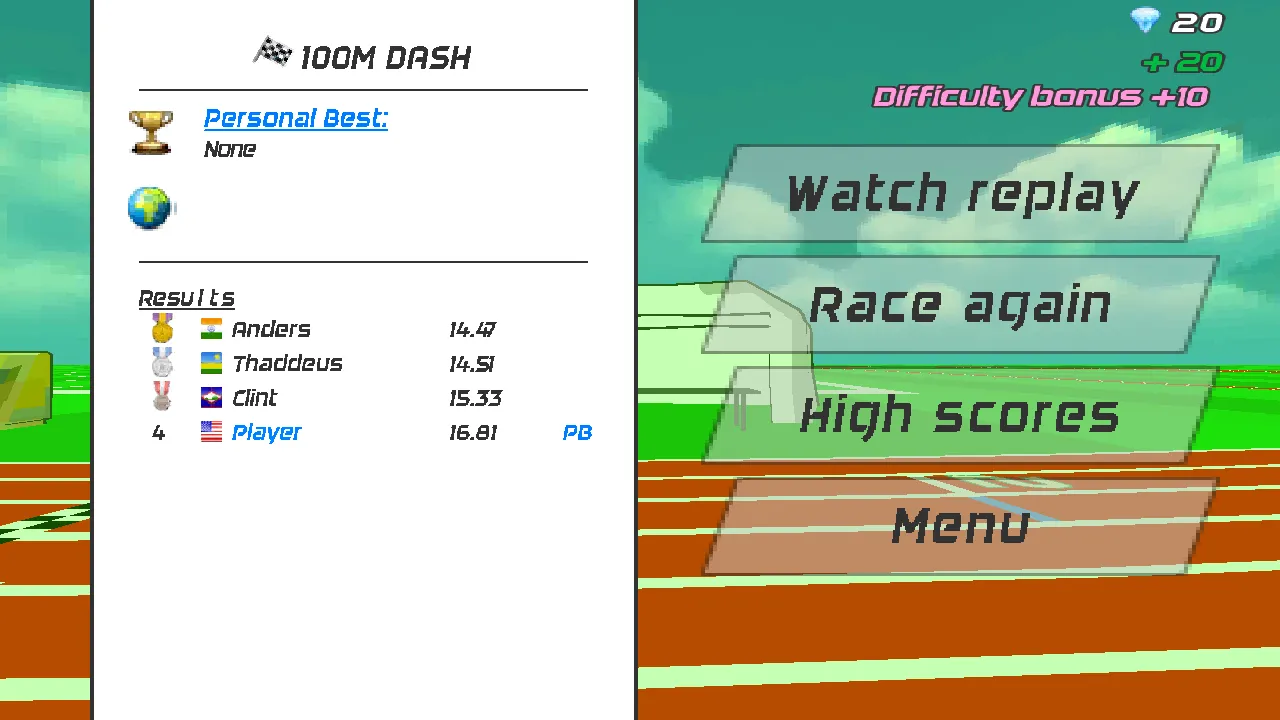
After a race, the results panel lists every athlete with a finishing time, and in our test the other three were named Anders, Thaddeus and Clint. They are the benchmark. Before you move on to a harder event, check how far behind or ahead of them you finished, because that gap tells you whether your problem is the start, the middle or the finish.
Starting position matters psychologically more than physically. The SET banner appears while all four athletes sit on the blocks, and the pistol follows after a short pause. Do not guess the timing: watch the banner, stay relaxed, and begin tapping the instant you hear the shot. A smooth first stride is worth more than a nervous false start.
Controlling Tempo With Two Arrow Keys
The control scheme is a single idea. After the pistol, alternate the left and right arrow keys. The tutorial warns that holding a key too long makes the runner lean forward and slow down, so the optimum is short, evenly spaced presses. Think of it as parrying in a fight: tapping on a steady beat keeps you balanced, while a long hold leaves you exposed.
On a phone, the same rule applies with taps on the left and right sides of the screen, as the mobile version of the pop-up explains. Because touch has less feedback than keys, keep both thumbs relaxed and avoid pressing hard.
Spending Your Energy Like a Resource
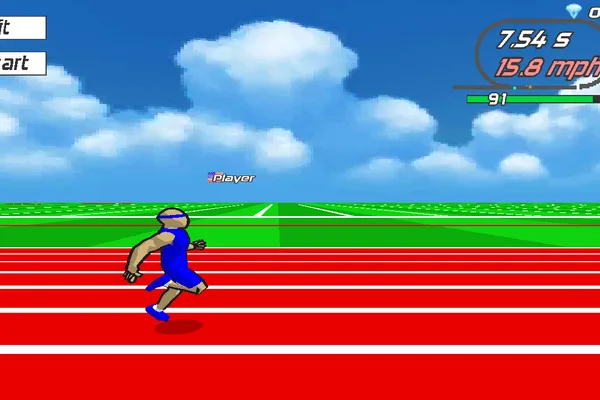
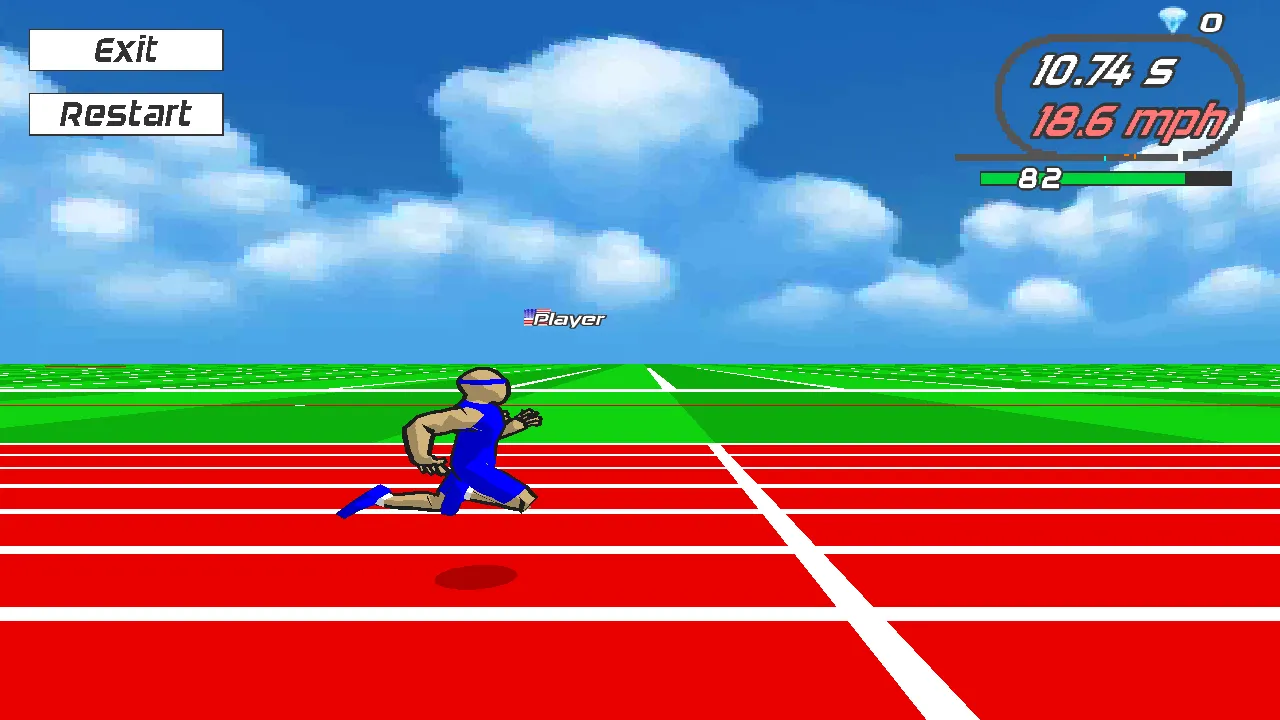
Under the speed readout in the top-right corner there is a small green bar and a number. In our runs it started at 100 and fell as the race progressed, to the low eighties by the end of a 100 metre dash. We could not confirm its official name, but it behaves like an energy meter, and managing it is the tactical core of the longer races.
On a 100m, you can afford to burn most of it. On a 400m run or an 800m run, a fast opening leaves you with nothing for the finish. Treat those events like a long fight: take the early initiative without overcommitting, hold a steady tempo through the middle, and save a final burst for the last stretch.
Hurdles: Timing a Defensive Move
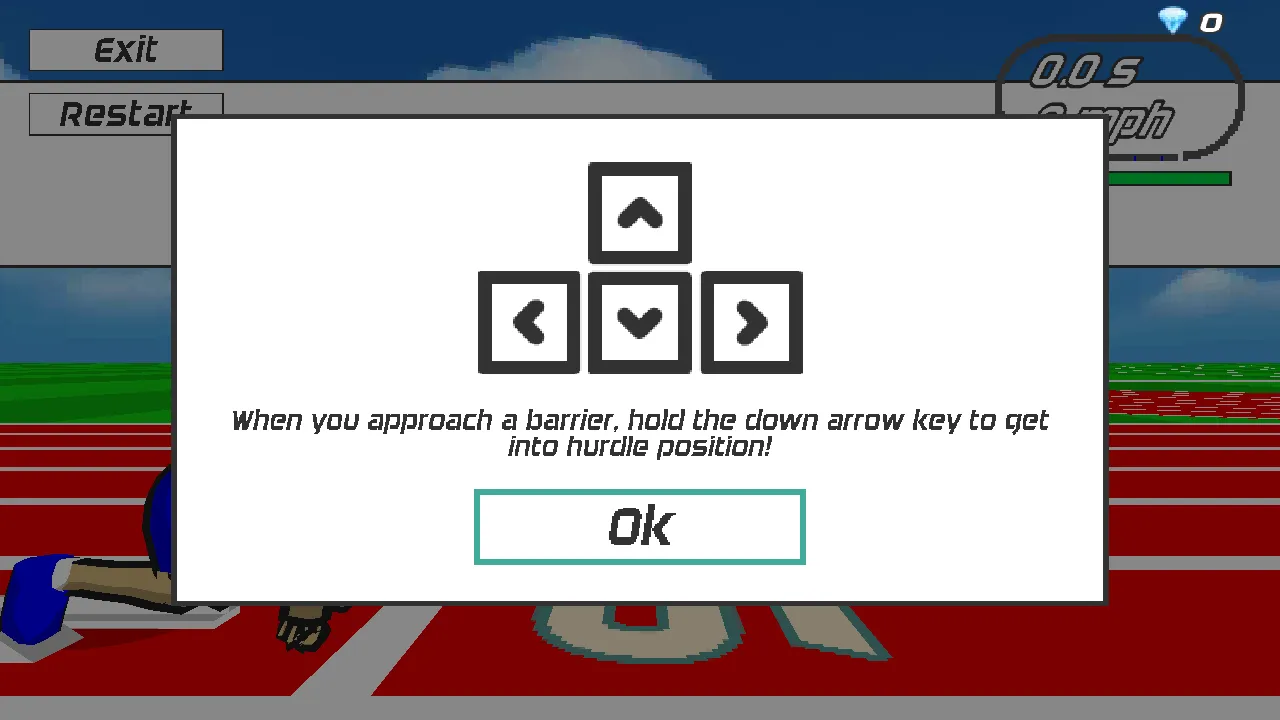
Hurdle races add a counter-move. When a barrier approaches, hold the down arrow key to get into hurdle position, then release and continue alternating left and right. It resembles blocking an attack: you have to commit at the correct moment, hold only as long as necessary, and return straight to offence. Early or late holds cost speed.
A tactical habit that works is to count strides. Once you know how many alternating presses fit between barriers at your normal tempo, you can prepare the down arrow in advance rather than reacting at the last instant.
Reading the Results Screen
After you finish, the board lists your time, your finishing place and rewards. Our test finish earned gems with a line marked Finished race and a Difficulty bonus, and the counter at the top right rose accordingly. Below the board are four buttons: Watch replay, Race again, High scores and Menu. Replay is the best scouting tool: play it back and look at the exact moment a rival pulled ahead.
Training Plan for Competitive Players
Start with the 60m dash and do ten runs, trying to match each time. Move to the 100m and note your speed reading at six and ten seconds. Then run a 110m hurdle race and focus only on your down-arrow timing. Finish with a 400m run and practise saving energy. Repeat the cycle on another day and compare your numbers. The leaderboard behind the trophy button gives you something to chase.
Case Study: Closing a Two-Second Gap
Numbers make the tactical picture clearer. In our first full 100m dash the results board read Anders 14.47, Thaddeus 14.51, Clint 15.33 and Player 16.81, with a PB tag next to our time because it was a first attempt and the Personal Best field had just said None. That is a gap of more than two seconds between first and fourth, which sounds enormous but is mostly the product of rhythm rather than talent. Our automated taps were perfectly even yet never adapted to the leaders, and the game still rewarded the opponents' better tempo.
To close a gap like that, change one thing at a time. First work on the opening three seconds, because everyone leaves the blocks together and a clean launch keeps you in touch. Next compare your speed reading at the six second mark with a faster attempt. Finally review the replay to see whether you leaned forward through a stretch of long presses. Small corrections add up quickly in a race decided by hundredths.
Troubleshooting and Frequently Asked Questions
If the game does not respond, wait for the Unity build to load, click inside it once, and make sure no other tab or pop-up has keyboard focus. Fullscreen gives you a bigger view of the track.
Who do I race against? Three computer athletes in each event, shown on the results board.
What are the controls? Left and right arrow keys to run, down arrow to enter hurdle position, and taps on a phone.
Is there an energy meter? A small green bar under the speed readout falls during the race and behaves like one.
Can I rewatch my race? Yes, use Watch replay on the results screen.
What events are there? Sprints from 60m to 800m, two hurdles, a 4x100m relay, a free run and a daily race.
Does it cost anything? No. It plays free in the browser.